
Lifecycle Diagram:
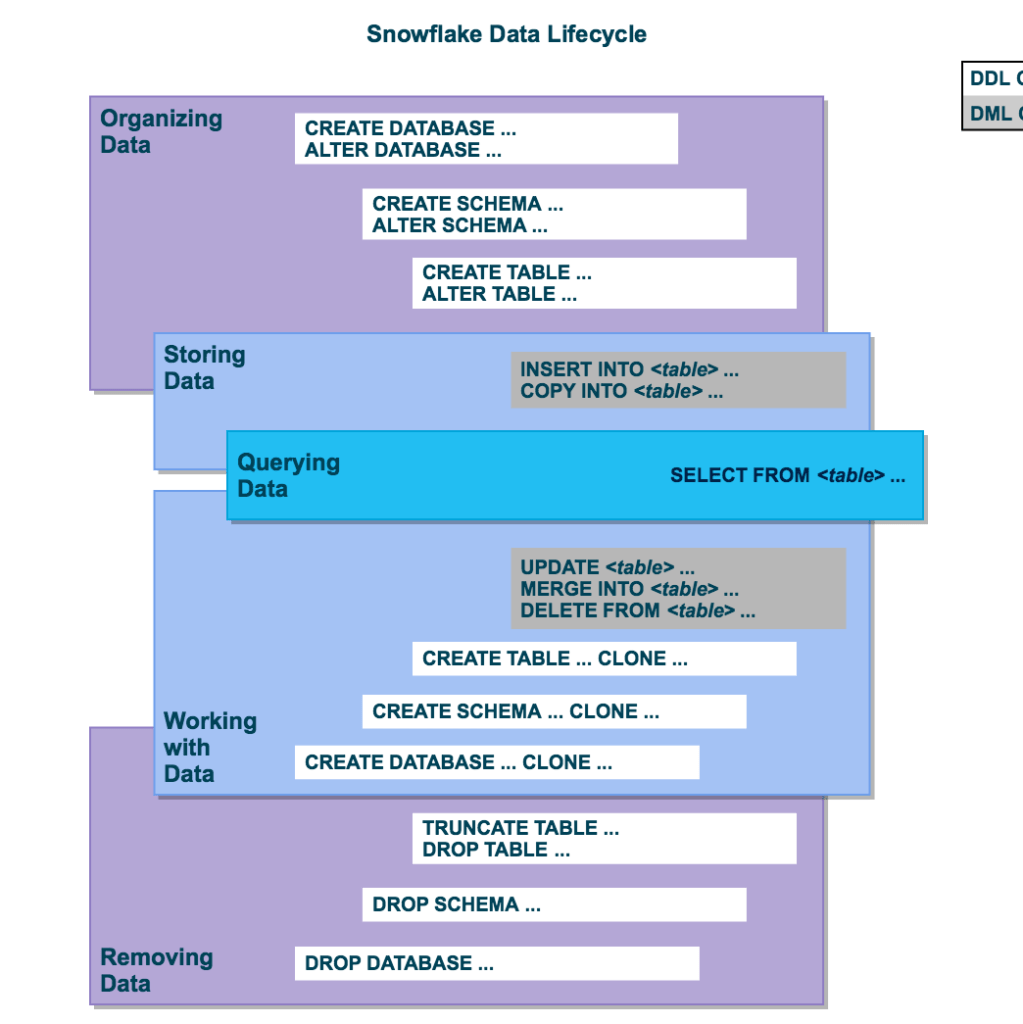
User data in Snowflake is logically represented as tables that can be queried and modified through the standard SQL interfaces. Each table belongs to a schema which in turn belongs to a database.
Organizing Data:
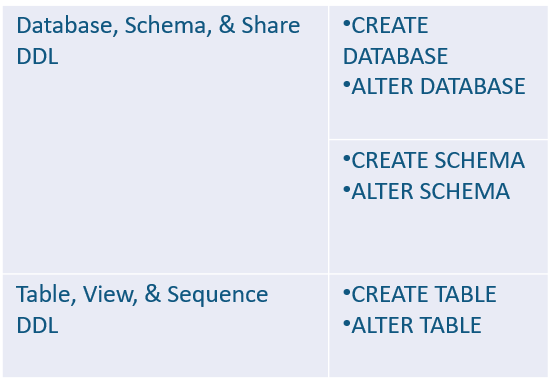
You can organize your data into databases, schemas, and tables. Snowflake does not limit the number of databases you can create or the number of schemas you can create within a database. Snowflake also does not limit the number of tables you can create in a schema.
Storing Data:
You can insert data directly into tables. In addition, Snowflake provides DML for loading data into Snowflake tables from external, formatted files.

Querying Data:
Once data is stored in a table, you can issue SELECT statements to query the data.

Working with Data:
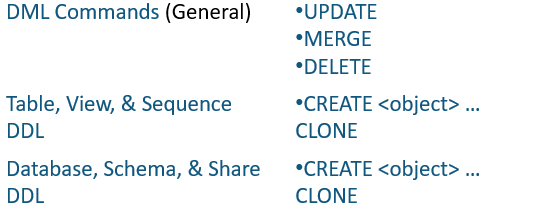
Once data is stored in a table, all standard DML operations can be performed on the data. In addition, Snowflake supports DDL actions such as cloning entire databases, schemas, and tables.
Removing Data:
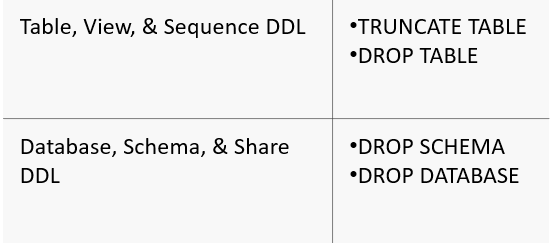
In addition to using the DML command, DELETE, to remove data from a table, you can truncate or drop an entire table. You can also drop entire schemas and databases.
 Praveen Borra
Leave a comment